Phone: 989.366.9230 Email: staff@hlpl.org 4431 W. Houghton Lake Dr. Houghton Lake, MI 48629 Mon-Thu: 10AM-7PM, Fri-Sat: 10AM-5PM
New App and Online Catalog FAQ
Our new app and online catalog are here! Checkout the frequently asked questions below.
Q: How do I login?
A: Visit our catalog, click the “Log In” button. Then enter your barcode number (found on the back of your library card), and your PIN you setup with us. Your PIN should be the same as before.
Q: What if I forgot my pin?
A: Click the “I forgot my passcode” link. A reset link will be emailed to you. If that doesn’t work for you, please call (989.366.9230) or visit the library so we can assist you.
Q: I use the Libby app for eBooks, do I need the new app?
A: No, you may continue to use Libby. The new app allows you to manage your items and library account beyond eBooks.
Q: How do I get the new app?
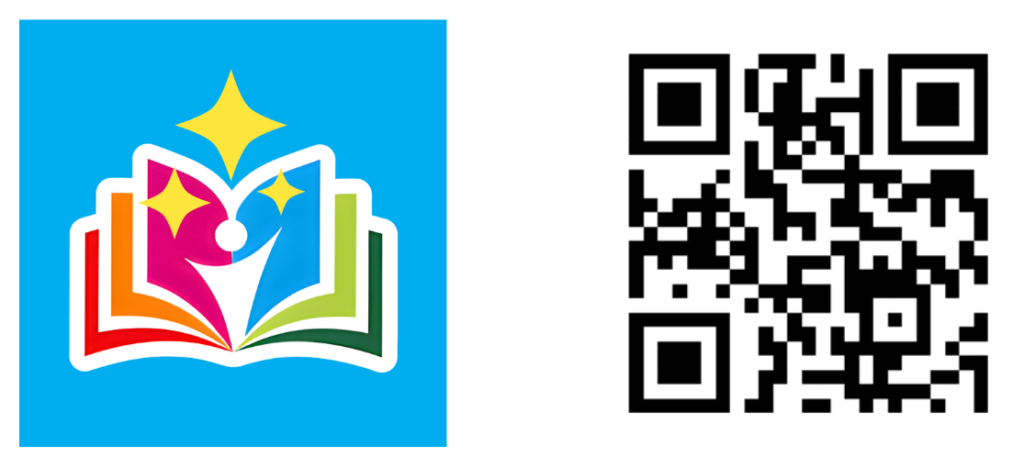
A: Scan the QR code below, or search your phone’s app store for “VLC Member Libraries”. You should find an app with the blue icon seen below.
Q: What’s changed in the new app?
A: You’ll have a new app interface that’s easier to use on. Your checkouts, holds, and account information is all staying the same. You will login with the same barcode and PIN number as before.